 News Home
 {{blogcategory.sCategoryName}}
Recent posts
nichemarket Advice
How LLM Tracking Tools Are Degrading Google and Bing Data
20 September 2026

Hit the Road
Your eSIM says "Installed", but you still have no internet.
19 September 2026

Money Talks
What South Africa's Latest Financial Pressure Data Tells Us About Household Debt
16 September 2026

nichemarket Advice
What Are Cookieless Pings?
12 September 2026
Popular posts
Extravaganza
Trending Music Hashtags To Get Your Posts Noticed
24 August 2018
Geek Chic
How To Fix iPhone/iPad Only Charging In Certain Positions
05 July 2020
Extravaganza
Trending Wedding Hashtags To Get Your Posts Noticed
18 September 2018
Money Talks
How To Find Coupons & Vouchers Online In South Africa
28 March 2019
Turn Your Content Into Cash With Google Adsense
24 October 2016 | 0 comments | Posted by Che Kohler in nichemarket Advice
So you have a blog, news or reviews site or you manage a forum and you're pulling in a decent amount of traffic every month. Why not turn that traffic into a money spinner. By allowing other websites the privilege of advertising on your site and getting paid for each click or each ad you show. Sound good? Then become a Google AdSense publisher.
What is Google Adsense?
AdSense or Google AdSense is basically a way to create advertising placements on your site that are served by Google. Basically what this means for you as a website owner is you now have the power to assign certain spots on your website for 3rd party advertising. These 3rd party websites will have the option to advertise on your site in an attempt to win traffic from your site and direct it their website for a fee.How does Google Adsense work?
The advertisements are controlled and managed by Google and website owners can apply for a free AdSense account but you will need to go through a verification process. The revenue generated using AdSense is on a per-click or per-impression basis. The program allows advertisers to display targeted text, video or image advertisements on website pages and earn money when site visitors view or click the ads.
How do I install Google Adsense on my website?
- Visit The Adsense Website here - https://www.google.com/adsense
- Register your AdSense account
- Once approved you will receive a publisher script
- Import this script into the head tag across your site
- Then select your ad sizes and copy the code and place the code where you would like it to display on your site
- Finally, wait for final approval and check if ads are live on your site
Tip: If you're running Wordpress you can simplify this entire process by using the Google AdSense Plugin
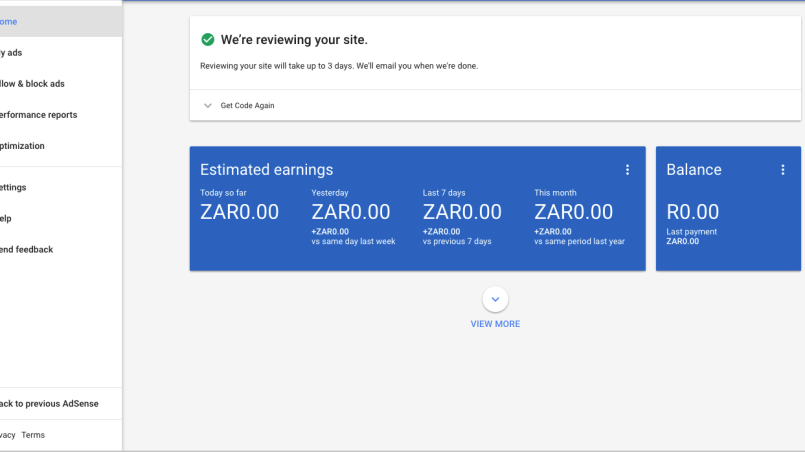
How do I See Adsense Performance?
Once your ads are live you can see income generated from ads by logging into your AdSense account and clicking on the performance tab in the menu on your left. You can even manage performance, like blocking ads that don't do well.Tip: You can also link your Youtube channel and google analytics account to your AdSense account for consolidated reporting
Contact us
If you want to know more about Google Adsense don’t be shy we’re happy to assist. Simply contact us hereYou might also like
What South Africa's Latest Financial Pressure Data Tells Us About Household Debt
16 September 2026
Posted by Rowan Breeds in Money Talks
New financial pressure data reveals debt counselling applicants owe far more than national averages suggest. See the real numbers by income band.
Read more
How to Read a Tar Surfacing Quote (So You Don't Overpay)
31 August 2026
Posted by Frank N in Constructive Criticism
Learn why the cheapest tar surfacing quote often costs more long-term, and the three questions that expose what's really excluded.
Read more
{{comment.sUserName}}
{{comment.iDayLastEdit}} day ago
{{comment.iDayLastEdit}} days ago