 News Home
 {{blogcategory.sCategoryName}}
Recent posts
Alarming
Did You Get a Ransomware Email From Your Own Address?
29 November 2026

nichemarket Advice
Why Local PR Agencies Still Matter in South Africa?
27 November 2026

Money Talks
How to Choose a Cryptocurrency Exchange?
25 November 2026

Industry Experts
AI Content Creation on a Budget: Marketing Tips for SA Startups
24 November 2026
Popular posts
Extravaganza
Trending Music Hashtags To Get Your Posts Noticed
24 August 2018
Geek Chic
How To Fix iPhone/iPad Only Charging In Certain Positions
05 July 2020
Extravaganza
Trending Wedding Hashtags To Get Your Posts Noticed
18 September 2018
Money Talks
How To Find Coupons & Vouchers Online In South Africa
28 March 2019
Did You Get a Ransomware Email From Your Own Address?
29 November 2026 | 0 comments | Posted by Che Kohler in Alarming
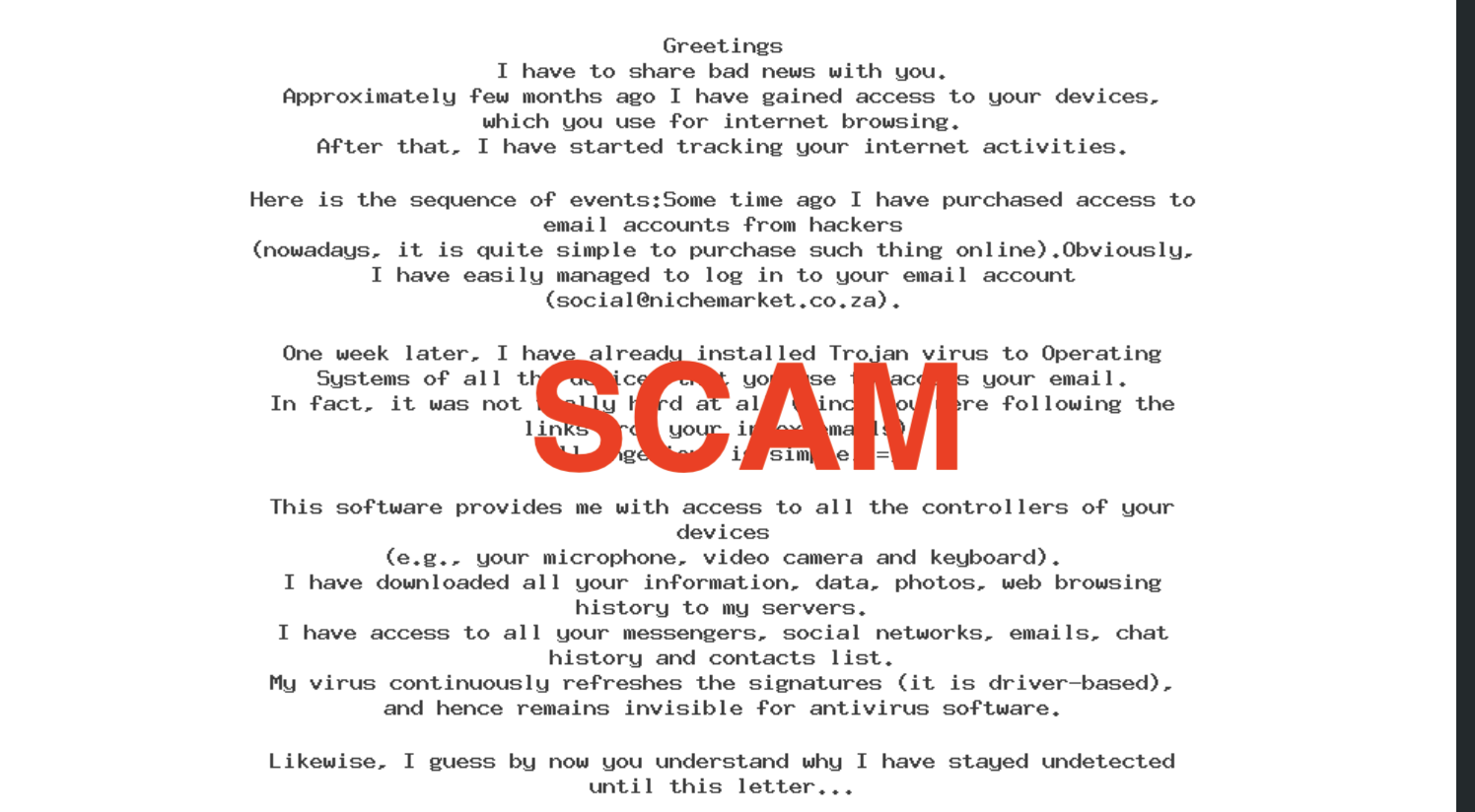
We realise not everyone is used to dealing with scammers, or knows how to check whether an email is a harmful phishing attack or a real malicious hack.
How This Spoofed Extortion Scam Works
Spam and phishing emails are a dime a dozen; millions are sent out every day hoping to catch you out, but with spam filters constantly acting as a barrier, we are normally afforded protection against the majority of spam attempts.
But even with improved spam detection, hackers will always find a new loophole to exploit, and when they do, they have to make an impression, and nothing does that quite like seeing an email coming from your own domain.
The call is coming from inside the house.

- Forging the "From" field: Email protocols allow anyone to type whatever name and address they want into the display "From" header. When we inspected the email's technical routing headers, the message did not come from our servers—it came from an unrelated, compromised third-party web hosting account.
- Psychological pressure: By making it look like the message came from inside your own domain, the scammer tricks you into believing they have full control over your account and devices.
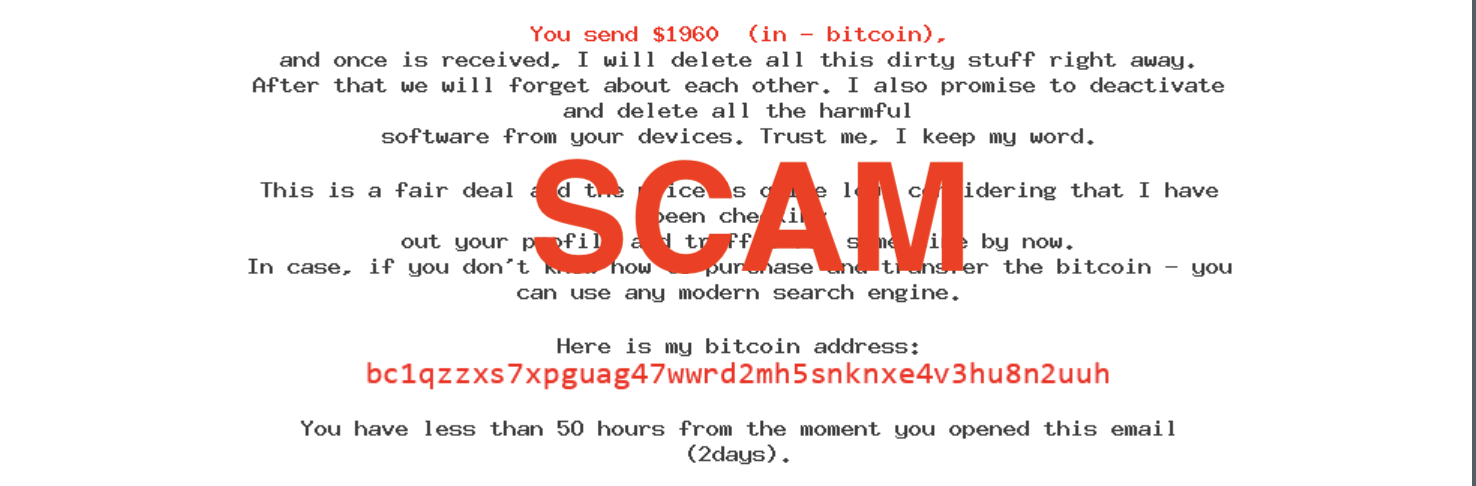
- Automated Bitcoin demands: These campaigns are fired out to millions of addresses at once using automated botnets. Each email includes a unique cryptocurrency wallet address and a ransom demand—in our case, $960 in Bitcoin. Scammers use Bitcoin because it's a payment method available worldwide, so anyone they reach could pay, and because it's impossible to reverse a Bitcoin transaction. When we looked up the attacker's wallet address on a public blockchain explorer, the balance was $0.00 (completely empty), proving nobody had fallen for that specific batch yet.
Why These Emails Bypass Spam Filters
You might wonder how an obvious scam from your own address lands in your inbox instead of getting blocked automatically. Attackers use two main tricks to slip past security filters:
- Image-Based Text and Hidden Formatting: Traditional spam filters scan email text for blackmail keywords and Bitcoin demands. To dodge them, scammers embed their threat inside an image file and pad the HTML code with invisible, low-contrast text that confuses automated scanners.
- Weak Domain Authentication (SPF and DMARC): Many domains do not have strict email authentication policies enforced. If a domain's SPF record is set to a neutral policy (
?all) instead of a hard fail (-all), or if its DMARC policy is missing or set to monitoring mode (p=none), receiving mail servers will often let a spoofed email through rather than rejecting it at the door.
What Email Extortion and Spoofing Cost People and Businesses
While individual sextortion and fake ransomware emails usually demand between $500 and $2,000 in Bitcoin, the cumulative financial damage of email spoofing and extortion is massive:
- Individual victims: Security researchers tracking mass sextortion campaigns found that while the vast majority of people delete these emails, the few who panic pay an average of roughly $600 to $1,000 per payout, allowing single scam campaigns to net hundreds of thousands of dollars.
- Businesses and organisations: According to the FBI Internet Crime Complaint Center (IC3) 2025 Annual Report, email-based fraud—including spoofing, phishing, and Business Email Compromise (BEC)—cost victims over $4 billion in a single year, with average BEC losses exceeding $122,000 per complaint. Across all reported cybercrime in 2025, the average loss per complaint reached $20,699. [1, 2, 3, 4, 5]
What to Do If You Receive This Email
- Do not reply or pay: Never respond to the email, click any links, or send Bitcoin. Replying confirms your inbox is active, and paying will only put you on a list for future scams.
- Verify your files and Sent folder: Check your computer files to confirm nothing is actually encrypted, and glance at your email "Sent" folder. In a spoofing attack, nothing will appear in your Sent items because the attacker never logged into your account.
- Check for past data breaches: Sometimes scammers include an old password you used years ago to make their bluff feel real. Check your email address on Have I Been Pwned and update any reused passwords.
- Enable Two-Factor Authentication (2FA): Turn on 2FA on your email account using an authenticator app so a leaked password alone can't give someone access.
- Lock down your domain's DNS (for business owners): If you own the domain that was spoofed, ask your IT admin or web host to update your SPF record to end with
-alland publish a DMARC record (v=DMARC1; p=quarantine;orp=reject;). This instructs mail servers worldwide to block anyone attempting to forge your email addresses. - Report and delete: Mark the message as spam or phishing in your email client so your filter learns to block future variations, then delete it.
Are you looking to promote your business?
Business owners can create their free business listing on nichemarket. The more information you provide about your business, the easier it will be for your customers to find you online. Registering with nichemarket is easy; just head to our sign-up form and follow the instructions.
If you need a more detailed guide on creating your profile or listing, we recommend checking out the following articles.
Recommended reading
If you enjoyed this post and have a little extra time to dive deeper down the rabbit hole, check out the following posts on web security.
You might also like

How to find out who called you from an unknown number in South Africa
18 November 2026
Posted by Robby Frank in Geek Chic
No free tool gives you a caller's name. Learn what a number check can tell you, how to spot scam calls, and who to report unknown SA numbers to.
Read more
51 Black Friday Software Deals 2026
20 November 2026
Posted by Che Kohler in Shopaholics
We put together a comprehensive list of software and digital business offering Black Friday discounts on their subscriptions or digital products this...
Read more
{{comment.sUserName}}
{{comment.iDayLastEdit}} day ago
{{comment.iDayLastEdit}} days ago